

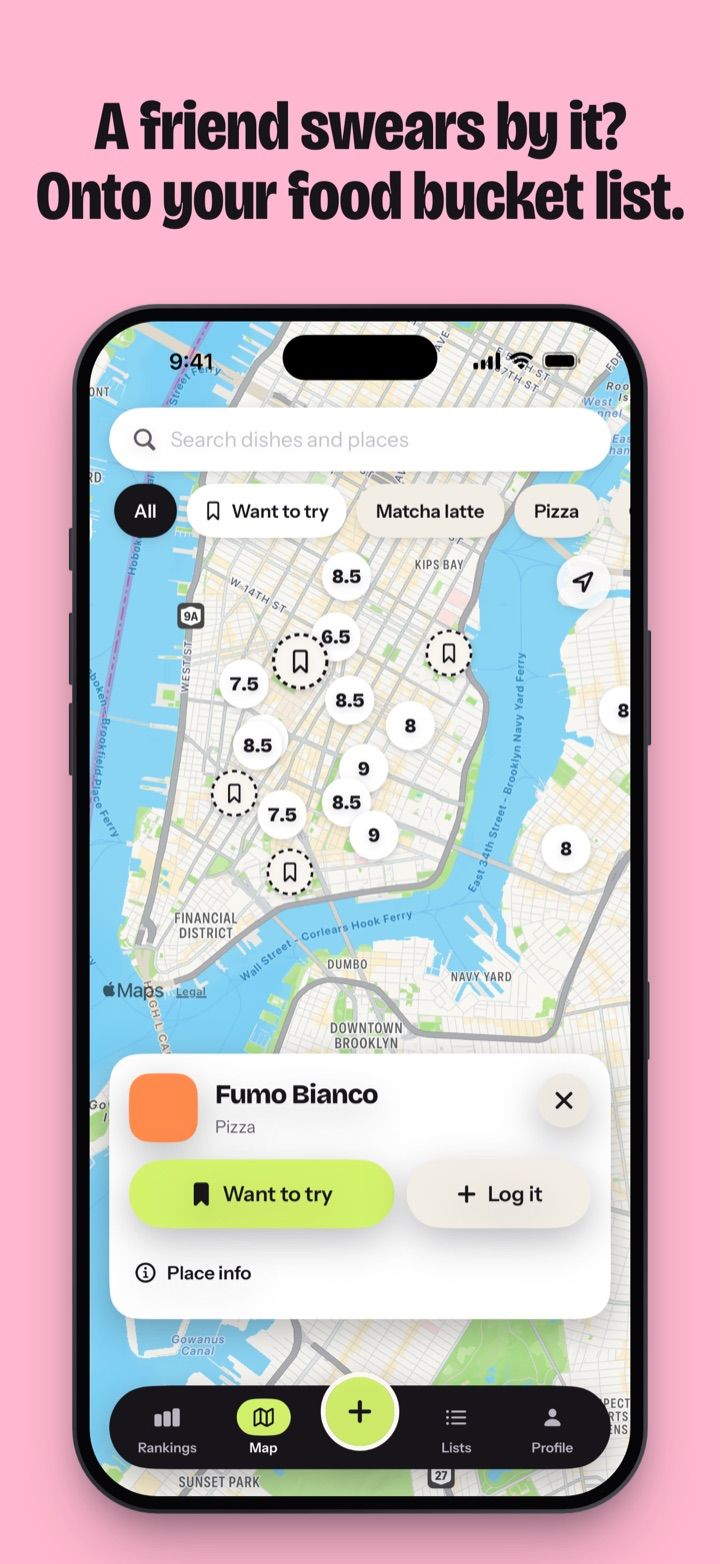
How Want to try works
- Find the place. Search the map, or tap a place Apple Maps already shows.
- Tap Want to try. The pin turns pink.
- Add the dish if you know it. The + Dish chip offers your own food names or a new one, so the row reads “Pizza · Gino Sorbillo”.
- When you go, tap Add. The place is already filled in. Score the dish, and the place moves from Want to try to your rankings.
Want to try is the first card on the Lists tab. Inside, places are grouped by city, with the city that has the most places first. Swipe a row to remove it, and Undo brings it back.
Ways a place gets on your list
| From | What you get |
|---|---|
| Map search | Any place Apple Maps knows, with Apple’s hours, photos and reviews in the same sheet when Apple has them |
| A friend’s Send my places link | Their places, each with the dish they had and their score, like “Anna 9.5” |
| A shared list | A friend’s dish, saved with their name on it |
| Google Maps | Imported lists arrive as saved places. Open one and tap Want to try when you mean to go. |
A Send my places link copies the places into your Want to try. Your friend never sees what you do with them.
Want to try or saved?
The map shows three kinds of pin.
| Pin | What it means |
|---|---|
| A score on its colour | You’ve eaten there. The number is the best dish you had. |
| Pink circle with a bookmark | Want to try |
| Small ink circle with a map pin | Saved, usually from a Google Maps import |
Google Maps imports land as saved places so that a long list of old bookmarks stays apart from the places you plan to visit. To see only one kind, open the filter and pick Show › Want to try. Read more in Matcha vs Google Maps lists.
Planning a trip
Before a weekend in Naples, open Rankings › Restaurant and filter by City › Naples and Show › Want to try. That’s your list for the trip. On the map, each place’s sheet has Directions, plus Call and Website when Apple Maps has them.
For a list of dishes to try rather than places, see food bucket list.
Private by default
Want to try stays on your iPhone. You don’t create an account, and nobody else sees the list.