

Download the restaurant tracker template (CSV)
Four ways to keep track of restaurants, compared
| Notes app | Spreadsheet | Google Maps lists | Matcha | |
|---|---|---|---|---|
| Cost | Free | Free | Free | Free download, 7-day free trial, then $9.99/year |
| Places on a map | No | No | Yes | Yes |
| Score per dish | If you type it | Yes | No, a note per place | Yes, 1 to 10 in half steps |
| See your best first | No | Sort by score | No | Rankings by food, city, restaurant and year |
| Android | Yes | Yes | Yes | No, iPhone only |
| Share with a friend | Copy the text | Share the file | Share a list link | Image cards, a link to your places, shared lists |
A notes app
It’s already on your phone and it’s the fastest to write in. One note per city works well: “Lisbon: pastel de nata, 9”. Past a few hundred lines it gets hard to use, because you can’t sort by score or see the places on a map.
A spreadsheet
The best free option if you like numbers. You can sort by score, filter by city and see what a trip cost. The hard part is typing into cells on a phone while the food goes cold, and there’s no map or photo.
What goes in each column of the template:
| Column | What to put |
|---|---|
| Date | The day you ate it. YYYY-MM-DD sorts correctly. |
| Dish | One row per dish, such as Margherita or Tonkotsu ramen |
| Place | The restaurant, café or bakery |
| City | So you can filter before a trip |
| Price | What the dish cost |
| Currency | EUR, JPY, USD, so prices from different trips don’t mix |
| Score (1-10) | Your score. Leave it empty for places you want to try. |
| Want to try | Yes for places you haven’t been to yet |
| Notes | Who recommended it, what to order next time |
The three example rows use made-up places.
Google Maps lists
Free, on every phone, with directions to each place and lists that are easy to share. Each place gets one note (up to 4,000 characters, as of October 2026), so there’s no score per dish and no way to rank what you ate. Lists work well for places you want to go and less well for remembering the dishes.
If your restaurants already live in Google Maps lists, Matcha can bring them onto your iPhone: Google Maps list to iPhone.
An app built for it
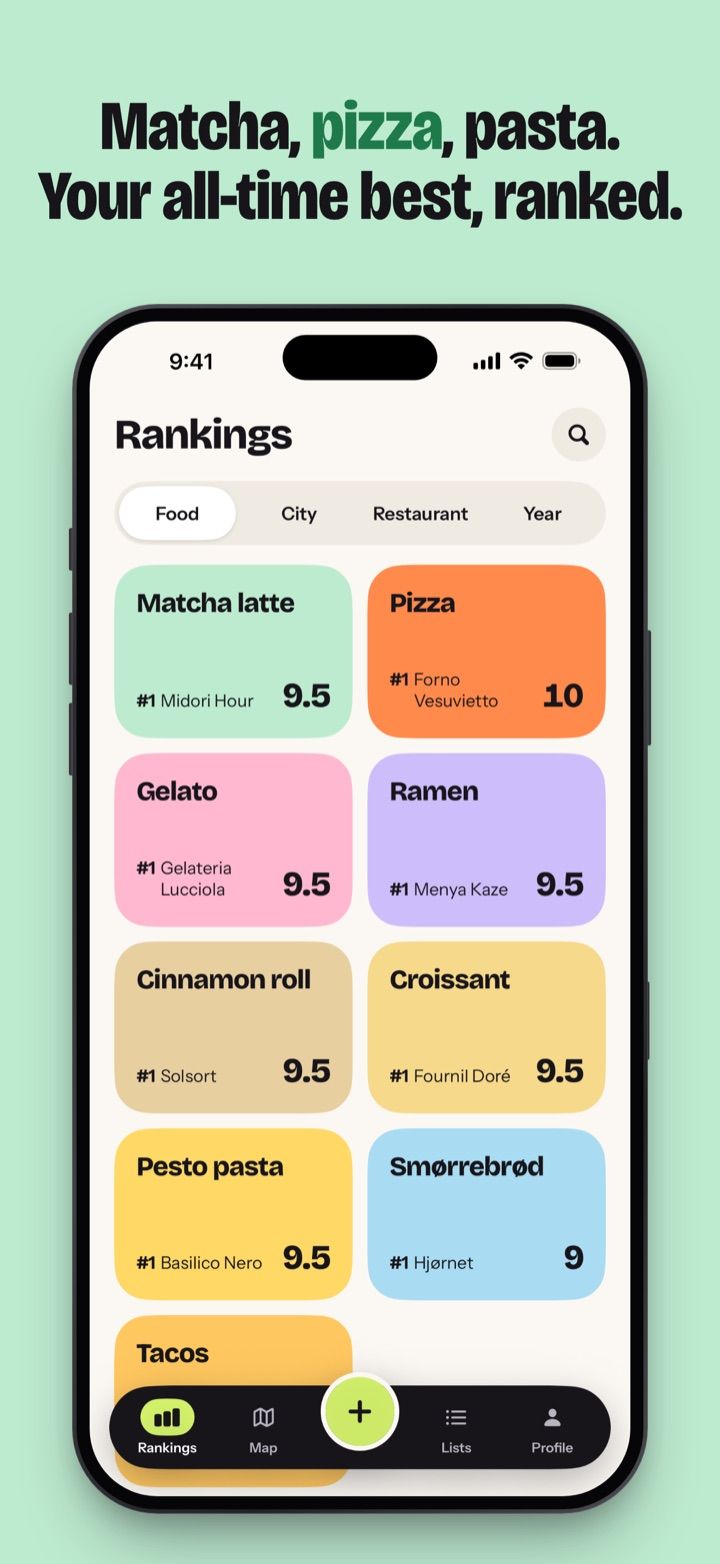
Matcha is an iPhone app for foodies: score the dishes you eat, see your best pizza, ramen or matcha latte ranked, and keep every place on a map with a Want to try list.
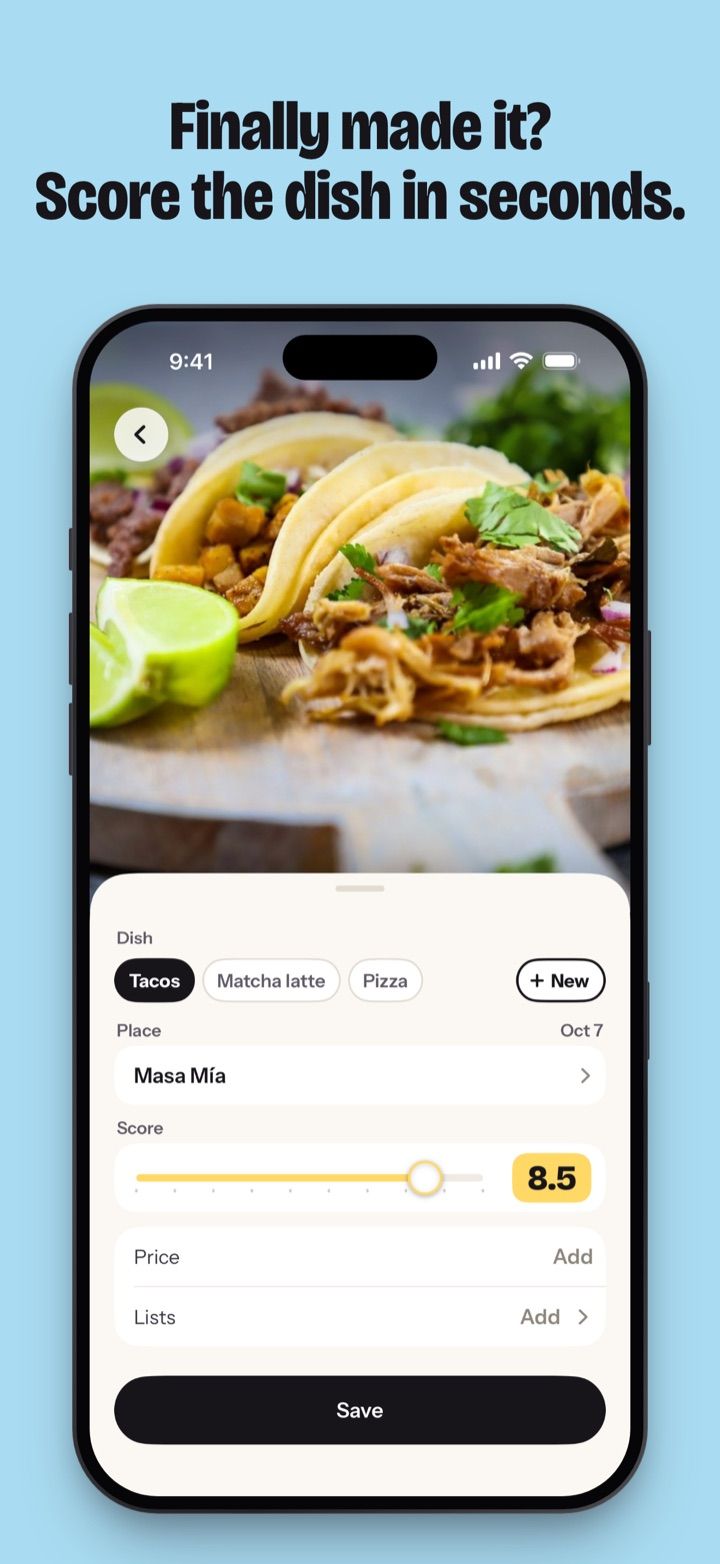
Adding a dish takes four steps:
- Tap + and take a photo, pick several from your library for a past trip, or skip the photo.
- Type the dish. Matcha suggests names as you type.
- Pick the place from Apple Maps. If you’re offline, you can add the place later.
- Score it from 1 to 10 in half steps. Price, currency, a note and lists are optional.
Matcha then ranks your dishes by food, city, restaurant and year. Every place sits on the map with its best dish’s score, and places you want to try show in pink.
You don’t need an account. Your journal stays on your iPhone, and nobody sees it unless you share it.
Matcha is a free download for iPhone (iOS 26 or later). Matcha Pro has a 7-day free trial, then costs $9.99/year, or $0.99/week without a trial. Prices vary by country, and nothing is free after the trial.
More on the app: restaurant tracker app and food journal app. If you want a feed of what friends eat, a social app fits better. See Beli alternatives and Mapstr alternative.
Habits that help in any tool
- Track dishes as well as restaurants. The same place can serve your best pizza and a forgettable tiramisu.
- Score on the day. A week later every meal sounds like a 7.
- Keep the places you want to try in the same tool, so the list is there when you’re hungry.
- Note who recommended a place. It helps when you tell them how it went.