Three ways to share food with friends
| Shared list | Send my places | Share card | |
|---|---|---|---|
| What it is | A list you keep together | A link with a copy of your places | An image of your top 5, your #1 or a podium |
| Who scores | Everyone in the list | You | You |
| Your friend needs | Matcha on iPhone with Pro or the free trial, and iCloud | Matcha on iPhone with Pro or the free trial | Nothing, it’s an image |
| What comes back to you | Their dishes and scores | Nothing | Nothing |
| Good for | A trip, a pizza crawl, date nights | A friend heading to a city you know | Group chats, Stories, friends on Android |
How a shared list works
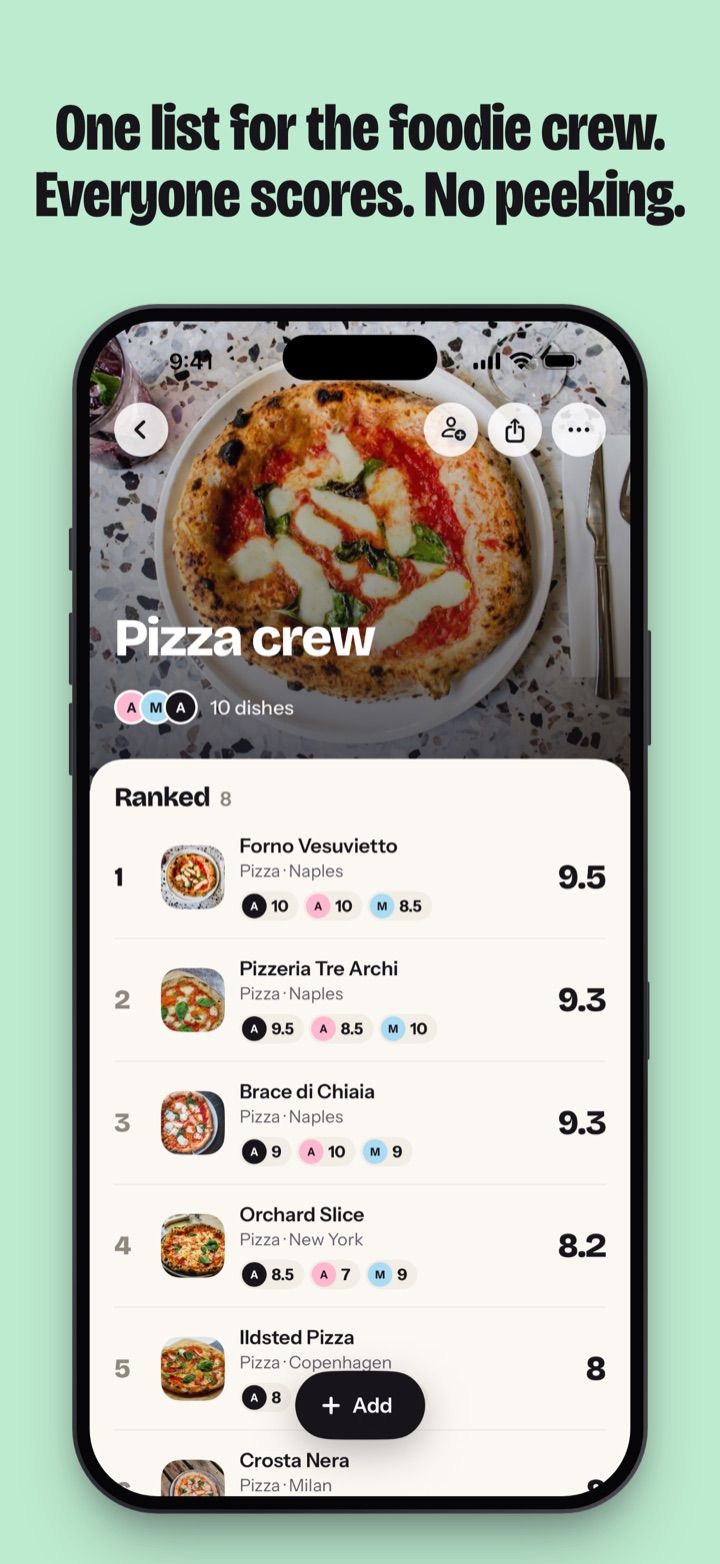
- Make the list. In Lists, tap New list, name it (“Pizza crew”) and pick a cover if you like.
- Invite. On the new list, tap Invite friends. Once the list has dishes, you’ll find it under Share › Invite friends. Your iPhone’s share sheet opens, and you send the invite to each friend in Messages or Mail. If you pick people from your other lists while making the list, the button reads Create and invite and does both at once.
- Friends join. The invite opens Matcha on “Anna invited you”. They tap Join, and if they’re new to Matcha, pick the name and photo the group will see.
- Add dishes. Anyone in the list can tap Add for a new dish, or Add past dishes to bring in ones they’ve already logged. The photo, place and price come along. Your note stays on your iPhone.
- Score. New dishes wait under To score, and the list’s card shows how many. Slide your score from 1 to 10 in half steps, then tap Score.
- See where it lands. Your friends’ cards flip, and the dish takes its place in the list, ranked by everyone’s average.
Scoring a friend’s dish also adds it to your own rankings, and if the place was on your Want to try, it comes off. Haven’t been yet? Tap Want to try on a friend’s dish and it goes on your Want to try with their name on it.
Why you score first
A friend’s score stays face down until you’ve scored the same dish. On the score screen, each friend who has already scored shows as a face-down card, so you can see who has scored without seeing what they gave. Once you tap Score, the cards flip and you see everyone’s number next to yours.
That way your score stays your own. If Anna gave the carbonara a 9.5, a 7 is harder to give once you’ve seen it. To make everyone’s 8 mean roughly the same thing, share the 1 to 10 scale with the group before the first dinner.
Didn’t have the dish? Tap Not tried. The others’ scores show, and nothing is added to the list’s average or to your rankings.
Notifications follow the same rule. Matcha can tell you when a friend adds a dish (“Anna added Bæst pizza”) or scores one you added (“Anna scored your Bæst pizza”). The number shows only if you’ve scored that dish too. Each list has its own notification switch.
Who can do what
| Anyone in the list | The person who made it | |
|---|---|---|
| Add dishes and score them | Yes | Yes |
| Mark a dish Not tried | Yes | Yes |
| Turn the list’s notifications on or off | Yes | Yes |
| Remove a dish | Only the ones they added | Any dish |
| Invite people | No | Yes |
| Rename the list or change its cover | No | Yes |
| Remove a person (their scores go too) | No | Yes |
| Leave the list | Yes | No |
| Delete the list for everyone | No | Yes |
Only the people you invite can open a shared list. If someone forwards the invite, it doesn’t let anyone else in.
Send my places: hand over your list
A friend is off to Copenhagen and you’ve eaten your way around it. Open your Copenhagen page (a food or a list works too), tap Share and pick Send my places. Every place is ticked. Untick the ones you’d skip, tap Send, and share the link in Messages or any app.
Your friend opens the link in Matcha and sees your name and the places, each with the dish you had and your score. They tap Save, and the places land in their Want to try as pink pins on the map. Each row carries your name and score, like “Simone 9.5”.
Nothing comes back to you. You don’t see what they save, score or remove, and later changes on your side don’t reach their copy. From a shared list, Send my places only includes dishes you scored yourself, with your own score, so nobody’s hidden score leaves the list.
To send, you need to be signed in to iCloud. Your friend needs Matcha on their iPhone, with Matcha Pro or the free trial. If they’ve only just installed it, saving your places is part of setup. More on what happens on their side in restaurant wishlist app.
Share cards: for friends on any phone
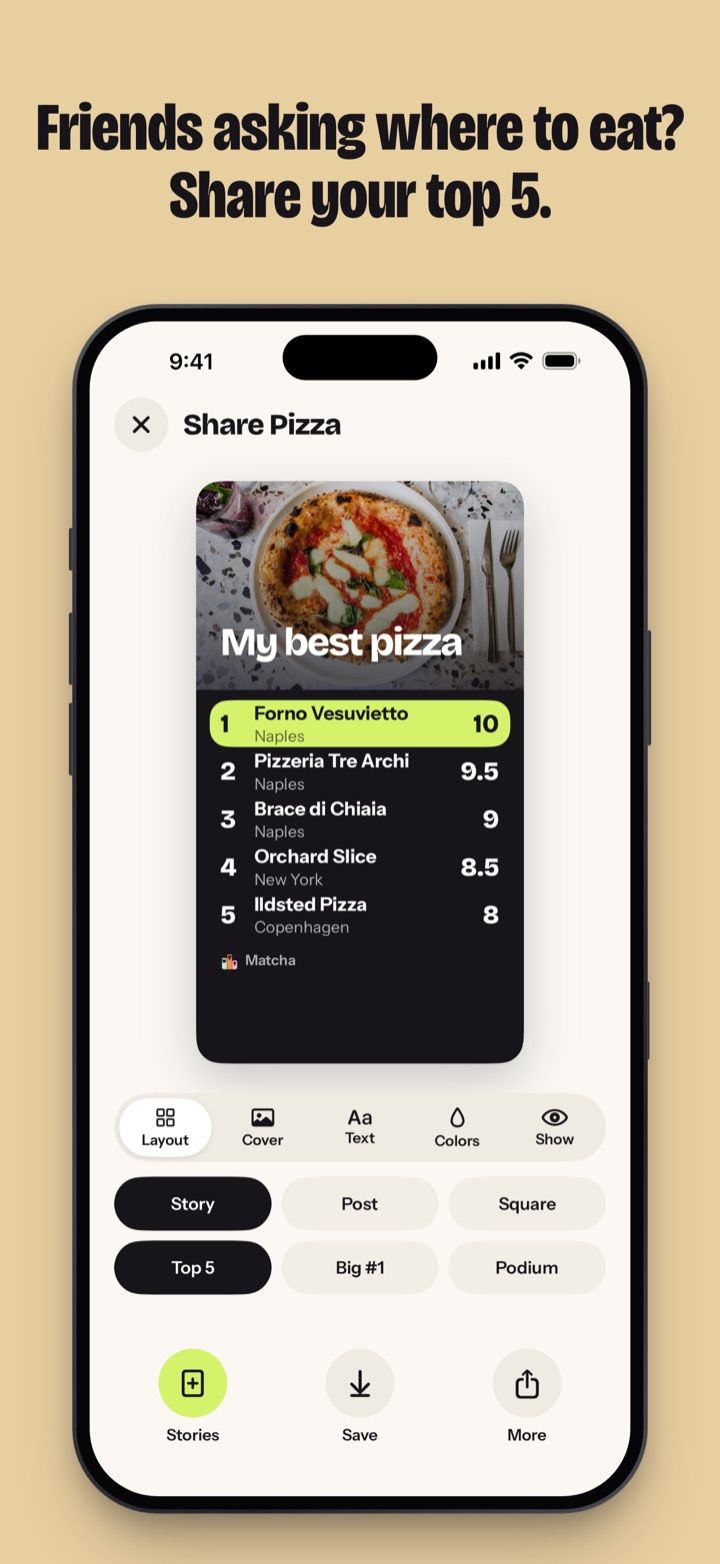
A card is an image, so anyone can see it: in a group chat, in a Story, on Android. Make one from a food (“My best pizza”), a city (“Best of Copenhagen”), a list, a year or a single dish.
Pick a layout: Top 5, Big #1 or Podium, or for one dish, a full photo or a polaroid. Pick the size: Story, Post or Square. Then choose the cover photo, the font and the colours, and whether scores, cities and prices show. A card from a shared list shows the list’s score for each dish.
What friends see
| What they see | What stays on your iPhone | |
|---|---|---|
| Shared list | The dishes you add, with photo, place and price; your score once they’ve scored the dish or marked it Not tried; your name and photo | Your notes, and every dish you don’t add |
| Send my places | The places you tick, with the dish you had, your score and your note; a cover photo from your own dishes; your name | Everything else |
| Share card | What’s on the image | Everything else |
A Send my places link holds a copy of what you picked, so anyone who has the link can open it in Matcha. Send it to the people you mean to. The rest of your journal stays on your iPhone, and Matcha has no public profiles.
Ideas for a shared list
- A trip: “Lisbon 2026”, where everyone adds the pastel de nata they found
- A crawl: “Pizza crew” scores the same margheritas across town
- The two of you: “Date nights”, to remember where to go back
- Work: “Lunch near the office”
- Before you go anywhere: a food bucket list of dishes to find together
How it compares
As of October 2026, Beli is built around friends: a feed shows where they’ve eaten, and a Match Score tells you whose taste is closest to yours (App Store). It’s free to download and runs on Android. Google Maps lets friends add places to a shared list for free on any phone, but lists have no scores (Google).
In Matcha, the group scores the same dishes and the list ranks them by everyone’s average. It’s iPhone only and paid. More in Beli alternatives, Matcha vs Google Maps lists and Matcha alternatives.
What it costs
Everyone in a shared list needs their own Matcha Pro or free trial, and so does anyone opening a Send my places link. Share cards need nothing. Matcha is a free download with a 7-day free trial, then $9.99/year, or $0.99/week without a trial. Other plans may show in the app, prices vary by country, and nothing is free after the trial (pricing).
New to Matcha? See how it works, who it’s for and what makes it different.