Before you start
Matcha runs on iPhone with iOS 26 or later. You don’t create an account. The download is free, and using the app takes Matcha Pro: a 7-day free trial, then $9.99 a year, or $0.99 a week without a trial. Details on the pricing page.
The app has four tabs (Rankings, Map, Lists and Profile) and a + button for adding a dish.
1. Add a dish
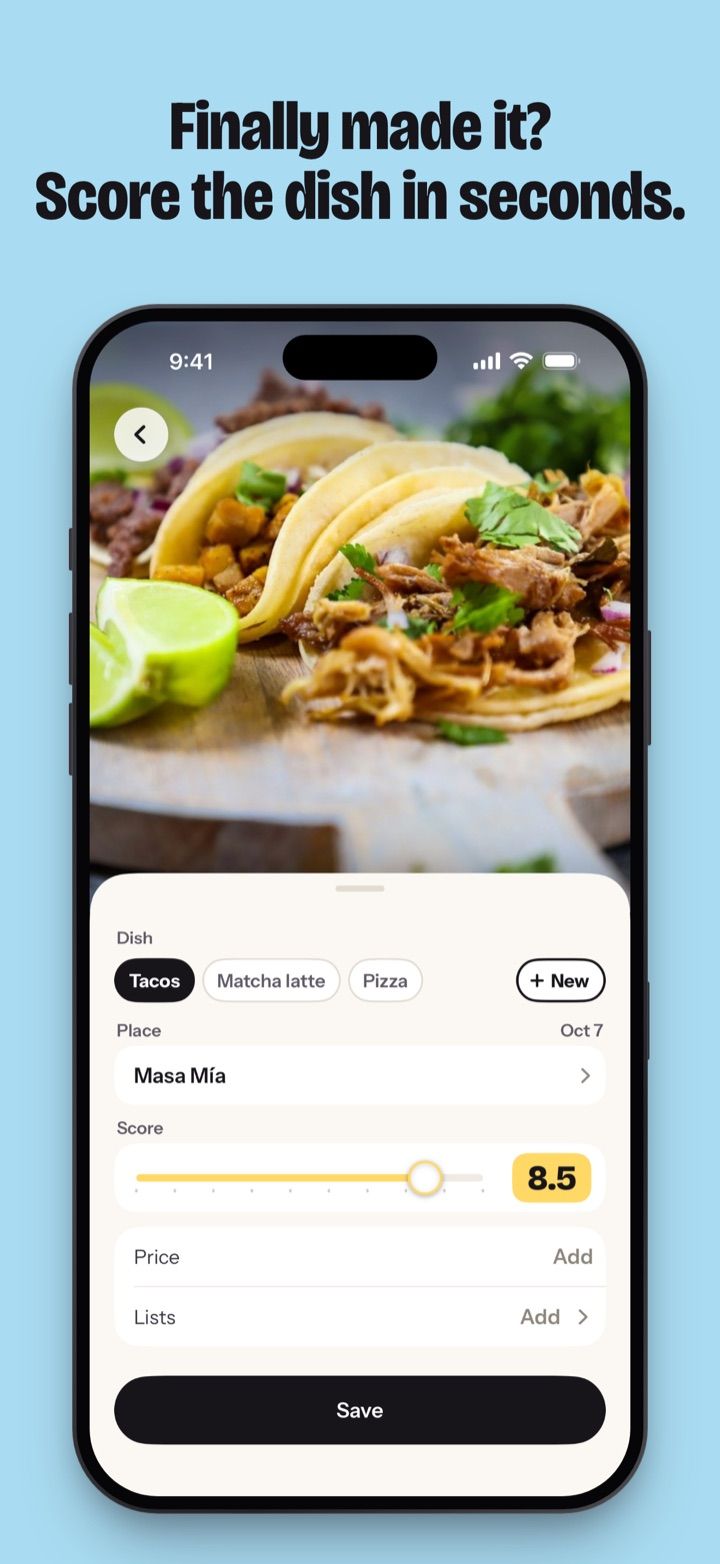
Tap + and you get one page with everything on it.
| Part | What goes in |
|---|---|
| Photo | Take one, pick one from your library, or skip it. After a trip, pick up to 10 photos at once: Matcha reads each photo’s date and suggests the place from where it was taken. |
| Dish | One of your foods, or a new one you type. The name is also the ranking, so every dish you call Pizza ranks against your other pizzas. |
| Place | Picked from Apple Maps. With no signal, save the dish anyway. Once you’re back online, Matcha finds the place from where you were, or shows Choose place so you can pick it. |
| Score | 1 to 10 in half steps. The slider changes colour as you go and turns lime from 9. |
| Price | Optional, in the currency you paid |
| Note | Optional. The field asks “What made it good?” |
| Lists and date | Optional. The date is today unless the photo or you say otherwise. |
Save works once the dish, the place and the score are set. Then Matcha shows where the dish landed: a big “#2” with “of 14 in Pizza” under it, and the dishes ranked around it. If it beat your old #1, you get the New #1 screen instead, with “Best pizza you have ever had.” and the place it knocked off the top.
Not sure what score to give? How to rate food walks through the scale, from Skip it to Perfect.
2. See your rankings
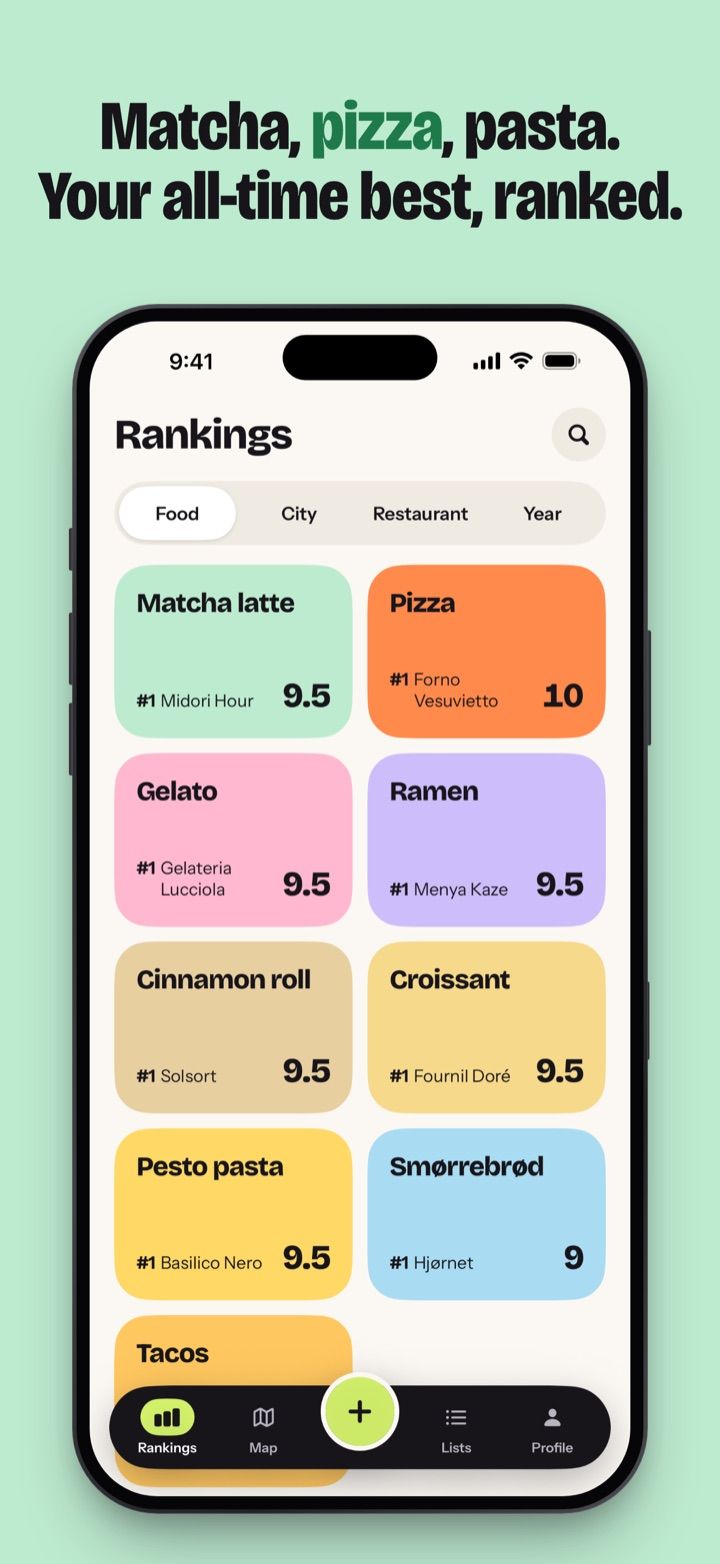
The Rankings tab shows the same dishes four ways.
| View by | What you see |
|---|---|
| Food | One card per food, the one you’ve logged most first, each with its #1. Open Pizza for every pizza you’ve had, best first, and tap a city to narrow it down. |
| City | One card per city, the one you ate in most recently first. A city’s page ranks its dishes or its restaurants. |
| Restaurant | Every place you’ve scored, ranked by your average there. Want to try and saved places follow, without a rank. |
| Year | One card per year, plus All time. A year’s page lists its dishes ranked or by month. |
When two dishes have the same score, the one you logged most recently goes first. Search finds your foods, places and dishes as you type.
For restaurants in more detail, see the restaurant tracker. For the diary side, with photos, notes and dates, see the food journal. If matcha lattes are your thing, there’s the matcha rating app page.
3. Save places to Want to try
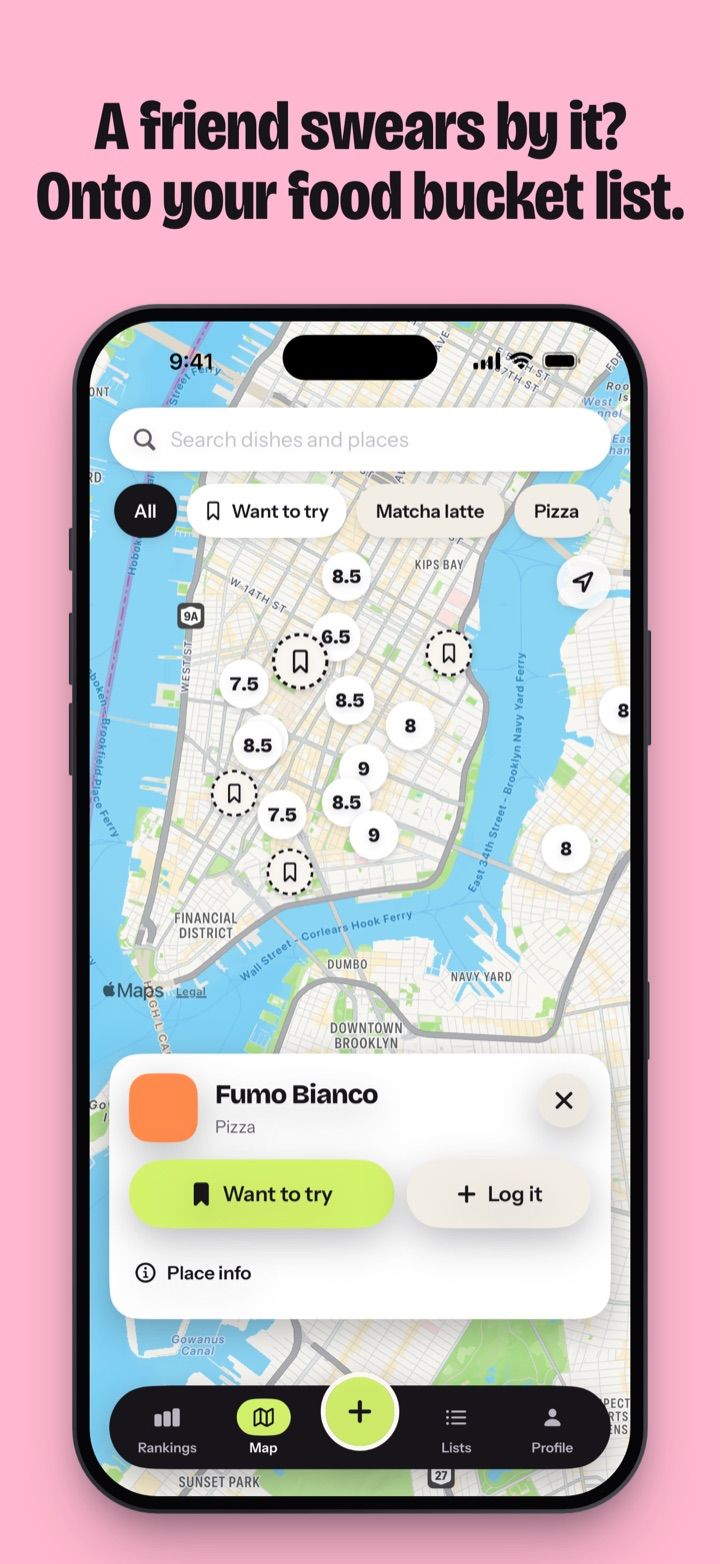
The Map tab shows three kinds of pin.
| Pin | What it means |
|---|---|
| A score on its colour | You’ve eaten there. The number is the best dish you had. |
| Pink circle with a bookmark | Want to try |
| Small ink circle with a map pin | Saved, usually from a Google Maps import |
To save a place, search the map or tap one that Apple Maps already shows, then tap Want to try. Add the dish to order if you know it, so the row reads “Pizza · Gino Sorbillo”. Want to try is the first card on the Lists tab, with its places grouped by city.
When you go, open the place and tap Add. The place is already filled in. Once you score a dish there, it leaves Want to try and joins your rankings.
The filter on the map narrows it by food, score (8+ or 9+), type of place and kind of pin. See restaurant wishlist app for the full picture, or food bucket list if you’d rather list dishes than places.
4. Bring your Google Maps lists
If you’ve been saving places in Google Maps for years, you can bring those lists over.
- In Google Maps, share the list to Matcha. Or copy its link and paste it in Profile › Import from Google Maps. A private list has to be set to Shared first.
- Matcha groups the places by city, all ticked. Untick what you don’t want.
- Tap Add N places.
The places land as saved places: small ink pins on the map, and rows in Rankings › Restaurant after the places you’ve rated. Matcha reads up to 3,000 places from one list. The import runs on your iPhone, and the list never goes through a Matcha server.
Step by step, with what to do when a link won’t work: Google Maps list to iPhone. Other ways to get your places out of Google: export Google Maps saved places. How the two compare day to day: Matcha vs Google Maps lists.
5. Share your top 5
You can share in two ways.
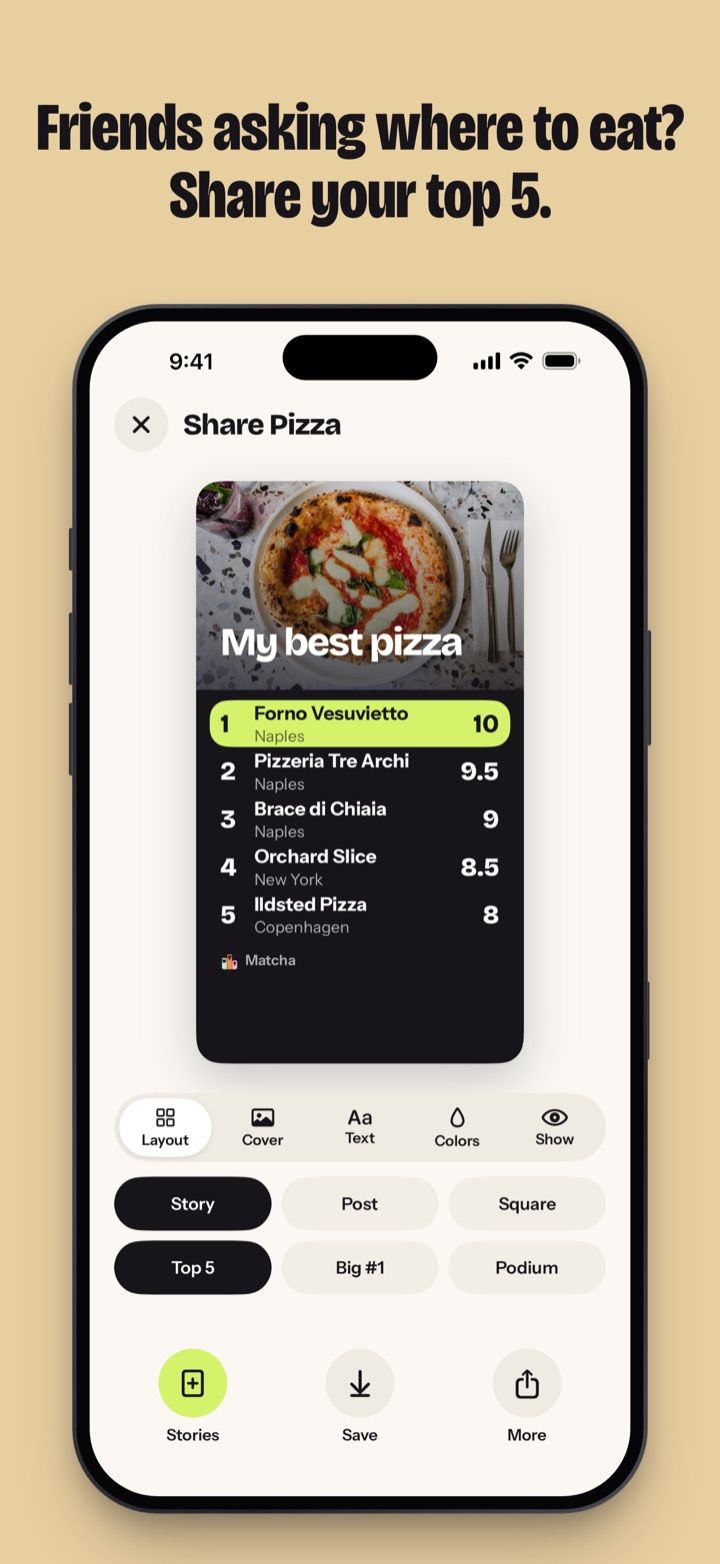
To share an image, start from a food, a city, a list or a year. Choose the layout (Top 5, Big #1 or Podium) and the size (Story, Post or Square), then a cover photo and the card’s title. A single dish gets a card of its own, as a photo or a Polaroid. Friends don’t need Matcha to see any of these, because they’re pictures.
To share the places themselves, Send my places turns a city, a food or a list into a link. A friend who has Matcha gets a copy of those places in their Want to try, with the dish you had and your score. Nothing they do comes back to you.
6. Score together
A shared list is for a trip, a pizza crawl or a group that keeps arguing about the best ramen in town. You start the list and invite friends through iCloud. Everyone adds dishes and scores them.
A friend’s score stays face down until you’ve scored that dish yourself, or marked it Not tried. Then you see everyone’s scores and the group’s average. Each person in the list needs their own Matcha Pro subscription or free trial.
How it plays out with a group: rate restaurants with friends.
What stays on your iPhone
Your dishes, photos and notes are stored on your iPhone. Matcha has no feed or public profiles, so nobody sees what you log until you share it. Shared lists sync through iCloud with the friends you invite. Profile › Export data saves everything as a file, with your photos in a folder, and the Share usage data switch in Profile turns usage statistics off. More in the FAQ.
Where to go next
- Why the app exists and what it’s for: why Matcha
- Whether it fits the way you eat: who Matcha is for
- What it does that other apps don’t: what makes Matcha different
- Other apps worth a look: alternatives, Beli alternatives and Mapstr alternative